
E-Invoices
Many businesses struggle with the complexity of sending electronic invoices (E-invoices) due to varying formats, compliance requirements, and validation checks. Manually handling these processes increases the risk of errors, rejected invoices, and inefficiencies in payment processing.
To streamline this, businesses need an automated, end-to-end solution that ensures invoices generated in Maconomy are correctly formatted, validated, and successfully delivered through the PEPPOL network.
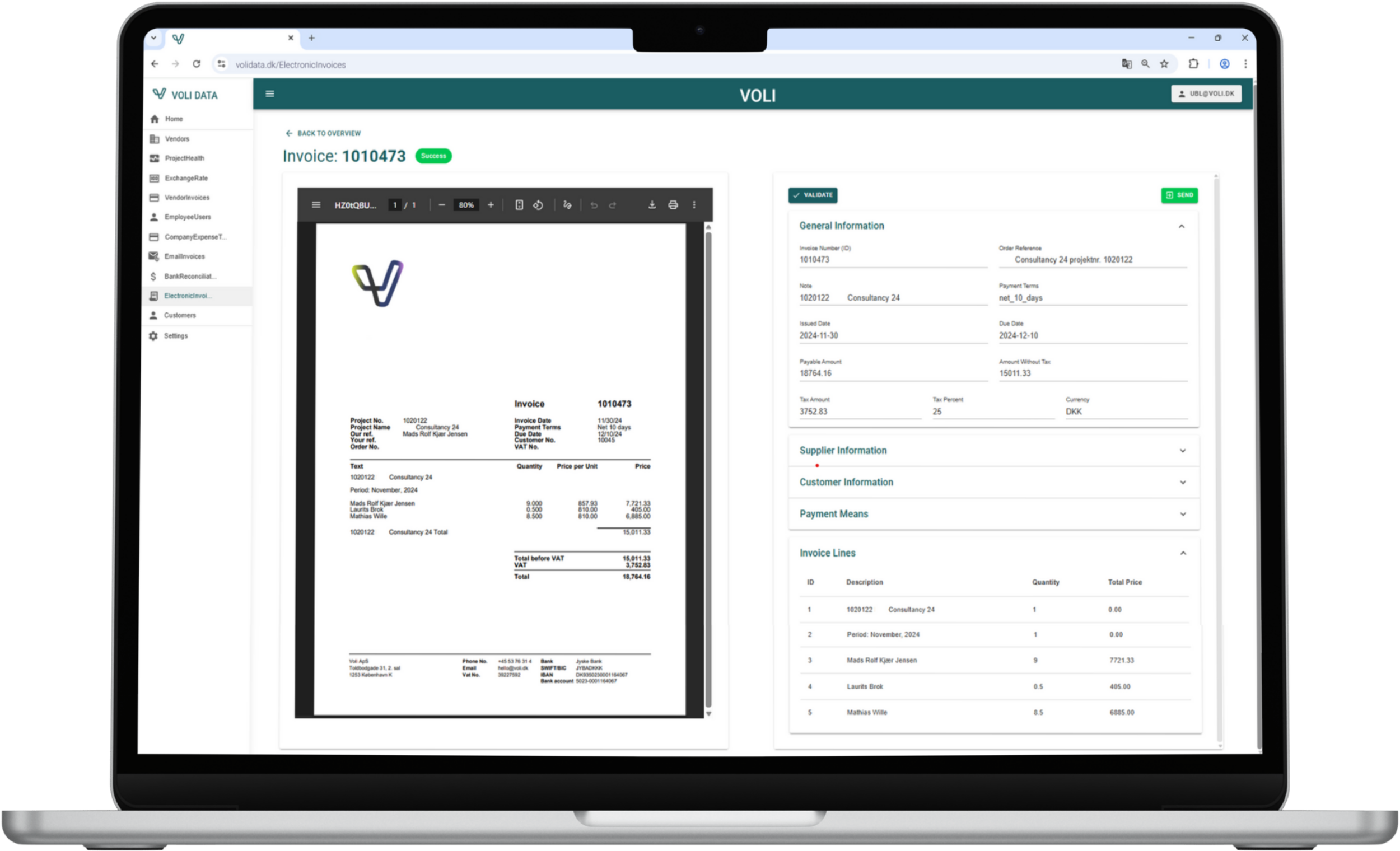
The Process & Technology behind it
Explore Electronic Invoices


2. Data Transfer to Volidata
The extracted invoice data is transferred to Volidata, which processes and converts it into the PEPPOL XML format required for electronic invoicing.
Validation Check #1: Volidata verifies that the customer is valid before proceeding.
1. Invoice Generation in Maconomy
When an invoice is sent from Maconomy with the customer’s payment mode set to "E-invoices", the system extracts all relevant invoice data fields.
3. Export & Import into Sproom, TrueCommerce, Bizbrains
The generated PEPPOL XML invoice is exported and then imported into Sproom, TrueCommerce, Bizbrains, the platform responsible for final delivery.
Validation Check #2: Sproom performs instant feedback checks:
Is the document properly formatted?
Does the recipient exist in the PEPPOL network?
Are all required fields correctly populated?
4. Error Handling & Confirmation
If validation errors occur at any stage, feedback is provided for quick corrections.
Once validated, the invoice is successfully delivered to the recipient via the PEPPOL network.
Key Features of E-Invoices
Automated Data Extraction
Invoice details are pulled directly from Maconomy.

PEPPOL XML Generation
Volidata converts invoice data into the required PEPPOL format.

Multi-Step Validation
Checks occur in Volidata (customer validity) and Sproom (document structure & recipient).

Instant Feedback Loop
Errors are flagged immediately, reducing rejected invoices.

Seamless Integration
Ensures invoices move smoothly from Maconomy → Volidata → Sproom → PEPPOL.

Key Benefits
Eliminates Manual Work – No need for manual invoice formatting or validation.
Ensures Compliance – Adheres to PEPPOL standards and validation checks.
Reduces Errors – Early detection prevents invoice rejections and delays.
Improves Payment Processing – Ensures invoices reach customers efficiently.
Explore our other Invoice Solutions
